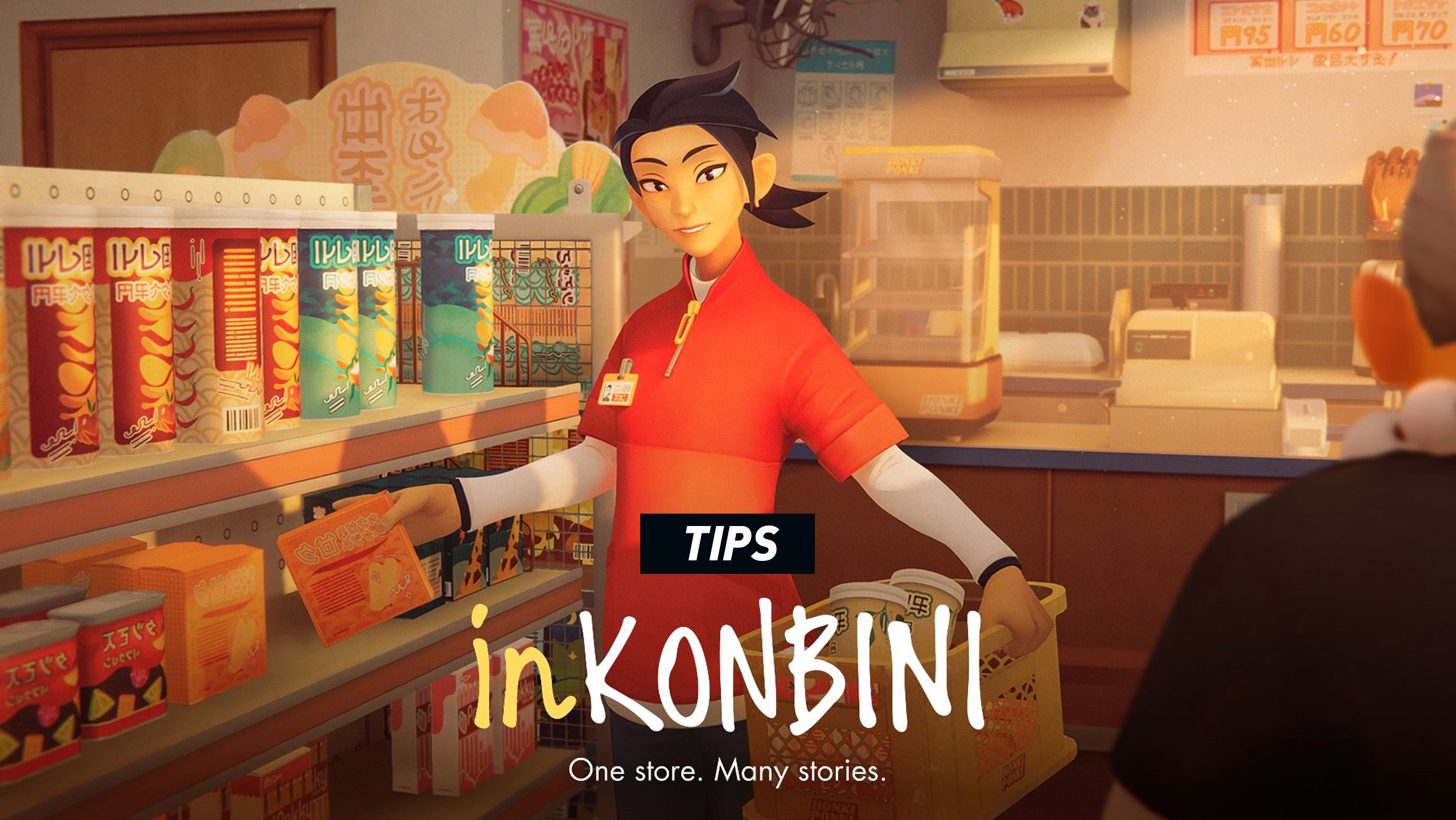
inKONBINI: One Store. Many Stories is not really about maximizing convenience-store profit. Honki Ponki is a stage for small routines and quieter human stories. Stocking a refrigerator matters, but so does remembering what a regular said yesterday, making an optional telephone call and noticing when someone wants company more than a product.
The game is forgiving about store efficiency but less forgiving about attention. A missed shelf task can usually be corrected. A conversation that ends without asking the meaningful question may shape the rest of that customer's story.
These spoiler-light tips explain how to organize each shift, stock shelves efficiently, handle customer choices, use the notepad, collect gachapon toys, find optional interactions and prepare for a second playthrough.
Begin Every Shift with a Quiet Store Walk
Before focusing on the first obvious task, walk through the complete store. Check:
- The register and counter area.
- Public shelves and refrigerators.
- The storage room.
- The telephone.
- Drawers and cupboards.
- The gachapon machine.
- The entrance and space outside.
- Any unusual object that appeared overnight.
Each shift changes small details. A customer, delivery, product crate or story object may appear somewhere that was empty on the previous night.
Open the Notepad Immediately
Review the current objectives before moving stock. This prevents you from completing general shelf work while forgetting a shift-specific action somewhere else.
Turn through every page and check phone numbers or additional notes. Some optional actions are easy to miss because they are not displayed as large objective markers.
Do Optional Tasks Before Serving the First Customer
When possible, complete routine store work, phone calls, gachapon use and exploration before the customer sequence begins.
The store remains relaxed, but story events can redirect Makoto's attention. Finishing optional routines first reduces the chance that the shift ends with something forgotten.
Do Not Play It Like a Profit Simulator
There is no need to create a mathematically perfect store layout. The shelf work exists to establish rhythm and familiarity rather than to build an optimized retail empire.
Arrange products in a way that helps you remember them. A personally memorable display is more useful than one that merely looks symmetrical.
Learn the Store by Product Category
Instead of memorizing every package at once, divide Honki Ponki into broad zones:
- Drinks and refrigerated goods.
- Snacks and sweets.
- Instant meals and pantry products.
- Daily necessities.
- Counter food.
- Seasonal or unusual products.
When a customer names an unfamiliar item, first identify its likely category and then search that section.
Inspect Unfamiliar Products
Product inspection reveals names and details that are difficult to infer from stylized packaging alone.
Spend time inspecting items during quiet moments. Later product-finding tasks become much faster when the shelves already feel familiar.
Move Crates to the Work, Not the Work to the Crates
Carry each stock crate beside the shelf it belongs to and put it down. Repeated trips to storage for individual products create unnecessary walking.
Finish One Display Before Moving On
Complete one refrigerator or shelf section at a time. Moving randomly between aisles makes it difficult to remember which products have already been handled.
Use the Fix Command
When an item is crooked, correct it rather than taking it out and placing it again. The Fix action exists to remove small alignment problems quickly.
Do Not Over-Organize Before Checking the Objective
Some tasks require a particular product arrangement or a specific item to remain available. Read the shift instructions before completely redesigning a display.
Keep Doorways Clear
Put crates beside shelves, not in the middle of the storage-room entrance or customer path. The game may navigate around obstacles, but an open route keeps movement more natural.
Listen Whenever a Customer Calls Out
A regular who speaks from across the store is usually inviting an interaction. Walk over and respond rather than assuming the conversation will trigger automatically.
Many optional story and achievement conditions depend on talking when the opportunity appears.
Do Not Reduce Customers to Their Shopping Lists
A request for food, a household item or directions may lead into something more personal. Complete the practical task, but stay attentive to the conversation surrounding it.
Read the Tone, Not Only the Words
When choosing a response, consider what the person appears to need:
- Reassurance.
- Honesty.
- Encouragement.
- Space.
- A practical answer.
- Someone willing to listen.
The kindest-sounding line is not automatically the most suitable one. Different customers respond to different forms of support.
Use the Text Log Before Choosing
If you missed a line or became distracted, open the recent dialogue log. An answer often makes more sense when read together with the customer's previous sentence.
Accept That Choices Have Consequences
A first playthrough does not need to reveal every branch. Choose responses that feel honest for your version of Makoto and allow the story to develop naturally.
Completionists can revisit alternative choices in another playthrough.
Remember Details Across Shifts
Customer stories are not always resolved during the same night they begin. A preference, promise or object may matter several shifts later.
When a detail feels unusually specific, check whether Makoto wrote it down. When she did not, make a short personal note outside the game.
Follow Up on Promises
When Makoto says she will call someone, find a product or meet a customer later, treat that promise as a future task even if no immediate objective appears.
Check Outside the Store
Customers and story events are not confined to the aisles. Walk outside during suitable moments and look around the entrance, street and nearby gathering areas.
Use the Telephone Every Shift
Check available numbers and consider whether anyone should be called. Daily telephone interactions are among the easiest optional actions to forget.
Handle Checkout Slowly
The register does not need to become a speed challenge. Pick up one product, find the barcode, scan it and listen for confirmation.
Rotate Instead of Shaking
Use small, controlled movements when searching for the barcode. Large rotations frequently pass the correct angle and create more work.
Wait for Scan Feedback
Do not assume an item registered merely because it crossed the scanning area. Listen and watch for the confirmation before moving on.
Pay Attention During Routine Work
Store sounds and checkout actions are part of the atmosphere, but conversations may also begin while Makoto is occupied. Pause the physical task when someone speaks.
Use the Gachapon Machine Regularly
The Yojoki Masters capsule collection is tied to repeated use across available shifts. Check the machine as part of your opening routine.
Play Once Before Spending More
A single play on each available shift supports steady collection while preserving coins. Additional attempts can produce duplicates.
Inspect New Capsule Toys
Look at each new toy rather than treating it only as an achievement counter. The designs contribute to the game's nostalgic world-building.
Expect Some Collection Cleanup
Random capsules can require extra attempts or another playthrough. Do not restart an entire shift solely because the machine produced a duplicate unless you are following a strict completion plan.
Explore the Storage Room Thoroughly
Story products and tools can be stored:
- Inside freezers.
- Under worktables.
- In cupboards or drawers.
- Behind larger crates.
- Near equipment rather than ordinary stock.
When a requested item is not visible on the public shelves, search storage before assuming it is unavailable.
Check Under and Behind Furniture
Small objects, photographs and story clues may be partially hidden by the normal camera angle. Crouch the camera and examine unusual gaps.
Revisit Objects on Later Shifts
An ordinary object can gain new meaning after a conversation. Inspect memorable photographs, notes, equipment and personal belongings again as the week develops.
Look for Environmental Storytelling
Posters, packaging, handwritten notes and changes in the store reveal details about the period, Aunt Hina and the surrounding community.
Use Reset Shift as a Safety Net
The reset option is useful when a mechanical problem blocks progress or when you immediately regret an accidental dialogue selection.
It is less useful after completing most of the night. Decide early whether the mistake matters enough to replay the shift.
Reset for Bugs Before Restarting the Whole Game
When an object fails to interact, a customer appears stuck or a task does not update:
- Leave the interaction mode.
- Check the notepad.
- Move to another room and return.
- Open and close the pause menu.
- Use Reset Shift if the problem remains.
Update the Game Before Troubleshooting
Post-launch patches have improved navigation, story-event conditions, interface behaviour and control remapping. Install the newest version before assuming a problem is permanent.
Plan for More Than One Playthrough
A single playthrough is ideal for experiencing the story naturally. A second is useful for:
- Selecting alternative dialogue responses.
- Following another customer branch.
- Making missed phone calls.
- Completing the gachapon collection.
- Finding overlooked products and objects.
- Unlocking mutually exclusive achievements.
Do Not Use a Detailed Walkthrough Too Early
The emotional effect is stronger when customer stories unfold without knowing their exact conditions.
Complete one blind or mostly blind run first, then use a checklist for targeted cleanup.
Create a Shift Checklist for Completion Runs
On a second playthrough, track:
- Opening store tasks.
- Required phone call.
- Gachapon use.
- Optional customer conversation.
- Important dialogue branch.
- Product request.
- Outside event.
- End-of-shift action.
A checklist prevents a small forgotten routine from requiring another complete run.
Do Not Rush to End the Shift
Before confirming that Makoto is finished for the night, complete one last circuit:
- Read every notepad page.
- Check the telephone.
- Look outside.
- Inspect the gachapon machine.
- Talk to anyone still present.
- Check storage for a remaining objective item.
The end-of-shift transition can close optional opportunities.
Let Quiet Moments Remain Quiet
Not every second needs to advance an objective. The store's sounds, lighting and product details are part of the intended experience.
Slow down after a meaningful conversation. The game's atmosphere works best when story scenes are allowed to settle.
Learn the Store Instead of Following Prompts Forever
During the early shifts, deliberately notice where products belong. Later requests then feel like serving a familiar community rather than hunting objective markers.
Create Visual Landmarks
Remember products in relation to distinctive shelves:
- Beside the refrigerator door.
- Below a bright sign.
- Next to a memorable package.
- Near the register.
- On the lower storage-room shelf.
Spatial associations are easier to recall than a long list of product names.
Accessibility and Comfort Tips
Use Full Remapping
Assign movement and interaction controls to suit your dominant hand. The current PC version supports primary and secondary bindings for every action.
Lower Camera Sensitivity
A steadier camera helps select small items, read shelves and navigate narrow aisles.
Use a Controller for Movement
Analog movement suits Makoto's weighted third-person animation and makes walking through the store feel natural.
Use Mouse Input for Precision
Keyboard and mouse make it easier to select small products and rotate checkout items. PC players can switch according to preference.
Take Breaks During Repeated Shelf Work
The game is not timed. Pause, stretch or change tasks when repeated trigger or mouse-button holding becomes uncomfortable.
Common Beginner Mistakes
- Ignoring the notepad until a task becomes confusing.
- Starting customer service before checking optional routines.
- Leaving stock crates in doorways.
- Removing a crooked product instead of using Fix.
- Searching every aisle without inspecting product names.
- Advancing dialogue before reading all response options.
- Forgetting the dialogue log exists.
- Ignoring customers who call out from across the store.
- Forgetting daily telephone interactions.
- Skipping the gachapon machine on an available shift.
- Ending a shift without checking outside.
- Treating the game like a timed management simulator.
- Following a spoiler-heavy guide during the first playthrough.
- Assuming every character story can be completed in one run.
Frequently Asked Questions
What should I do first during every shift?
Open the notepad, inspect the store, check the telephone and gachapon machine, then complete routine shelf work before serving customers where possible.
Do I need to stock every shelf perfectly?
Complete the requested store tasks, but there is no need to optimize every display for profit. Shelf work supports the atmosphere and story.
Do dialogue choices matter?
Yes. Responses affect relationships and can change the direction or outcome of customer stories.
Can I see every story in one playthrough?
Not necessarily. Some achievements and branches require alternative choices or a second playthrough.
How long is one playthrough?
A focused run is relatively short, although exploration, optional conversations and careful store organization can increase the length.
Is there a time limit?
The game is intentionally relaxed. Customers generally allow Makoto to work and converse without a stressful service timer.
How do I find a requested product?
Identify its category, inspect nearby products and check the storage room if it is not on a public shelf.
Should I call people every shift?
Check the available phone numbers each night. Optional calls can support character stories and achievements.
How do I avoid missing customer interactions?
Respond whenever someone calls out, walk outside during quiet moments and complete a final store circuit before ending the shift.
Is the gachapon machine important?
It contains collectible Yojoki Masters toys and is connected to several achievements.
Should I play the gachapon machine more than once per shift?
One attempt per available shift is a sensible baseline. Additional attempts may produce duplicates.
Can I replay a shift?
The pause menu includes Reset Shift, which returns the active night to its beginning.
What should I do if an objective does not update?
Exit the interaction, reread the notepad, revisit the relevant room and use Reset Shift if the event remains stuck.
Should I use a walkthrough?
A spoiler-light checklist is useful for achievement cleanup, but the first playthrough is more affecting when dialogue outcomes remain unknown.
What is the best way to stock shelves?
Move the crate beside its destination, finish one display at a time and use Fix for misaligned products.
How do I remember where everything is?
Learn broad categories first and associate individual products with visible landmarks inside the store.
What is the point of the text log?
It lets you review recent conversation lines before choosing a response or acting on a customer's request.
Can I continue after finishing the story?
The game includes continued store activities, but a new story playthrough is useful for exploring alternative narrative branches.
Are there missable achievements?
Yes. Many achievements depend on optional conversations, repeated routines or specific dialogue branches.
What is the most important beginner tip?
Pay attention to people before tasks. The shelves provide the routine, but the customer relationships are the heart of the game.
Final Advice
The best inKONBINI routine is not the fastest one. Begin each night by looking around, finish ordinary work before the store becomes socially busy and listen closely when a regular tells Makoto something that appears unimportant.
Use the notepad as a memory rather than a checklist, learn where products live and allow your first choices to be personal instead of optimal. The game is built around the idea that an everyday meeting may happen only once—and that paying attention can make it matter.
Read our inKONBINI: One Store. Many Stories Controls Guide for movement, conversations, notepad commands, shelf stocking, product inspection, checkout scanning and control remapping.
Comments
No comments yet. Be the first to share your thoughts!