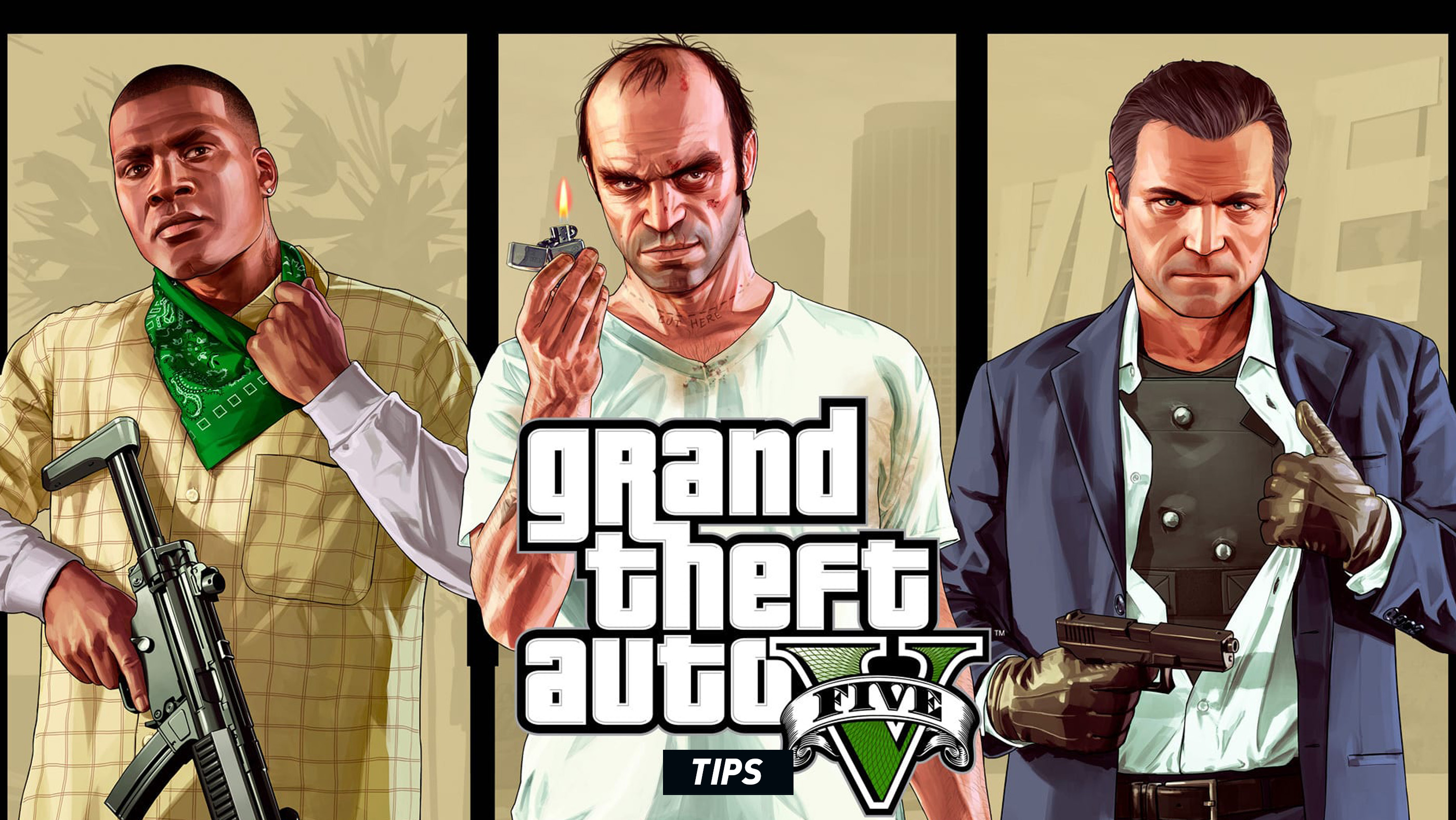
Grand Theft Auto V gives you an enormous amount of freedom, but that freedom can become expensive when every mistake ends with an impounded vehicle, an empty ammunition reserve or a five-star wanted level. The best GTA 5 players are not simply good at shooting and driving—they understand how the game’s systems connect.
This GTA 5 tips and tricks guide covers practical strategies for Story Mode and GTA Online, including combat, movement, wanted levels, vehicles, money management, character abilities and mission preparation. Some GTA Online features vary by update, property ownership and platform generation, but the core techniques below remain useful throughout Los Santos.
Essential GTA 5 Tips
- Use cover, positioning and special abilities instead of absorbing damage.
- Keep body armor, snacks and ammunition stocked before difficult activities.
- Save valuable vehicles in a garage rather than abandoning them outdoors.
- Break police line of sight before searching for a hiding place.
- Match each Story Mode character’s strengths to the situation.
- Spend early money on useful equipment and income sources, not cosmetic purchases.
Learn What GTA 5 Expects From You
GTA 5 constantly switches between shooting, driving, flying, stealth, exploration and scripted set pieces. Treating every mission like a conventional firefight usually makes the game harder than necessary. Pay attention to the objective text, dialogue and minimap because missions often introduce a specific mechanic before expecting you to use it under pressure.
When an objective marker changes, pause for a moment and check the route. A yellow path normally indicates the expected destination, while red enemy markers, police cones and vehicle icons provide information that can save you from driving directly into danger.
Use the Minimap as an Early-Warning System
The minimap is more than a navigation tool. It warns you about enemies, police search zones, nearby roads and objective changes before they are obvious on the main screen.
- Red dots: Hostile enemies or threats.
- Red directional markers: Enemies above or below your current level.
- Blue and red police indicators: Law-enforcement units actively searching nearby.
- Police vision cones: Areas where officers may spot you during a search.
- Flashing health or armor: A warning that you are close to being incapacitated.
Glance at the minimap before leaving cover, turning into an intersection or climbing a ladder. Many deaths that feel sudden are visible on the radar several seconds in advance.
Use Cover Properly in Gunfights
Cover dramatically reduces the number of angles from which enemies can hit you. Stand near a wall, vehicle or solid object and use the cover command rather than crouching in the open.
Do not remain attached to the same cover position indefinitely. Enemies can flank, throw explosives or destroy nearby vehicles. Fire controlled bursts, observe enemy positions and move when your current angle becomes unsafe.
Combat habit: Enter cover before aiming whenever possible. Starting a gunfight while standing in the open forces you to recover from incoming fire before you can establish a stable shooting position.
Aim for the Head, but Do Not Chase Every Headshot
Headshots end most encounters quickly and conserve ammunition, especially against unarmored enemies. With controller aim assist, briefly releasing and re-engaging the aim button can help recenter your aim on a target. A small upward adjustment often moves the reticle from the torso toward the head.
However, do not expose yourself for several seconds trying to line up a perfect shot. Against heavily armed groups, fast body shots from cover are safer than missing repeated headshots while taking damage.
Fire in Controlled Bursts
Automatic weapons become less accurate during long sprays. Short bursts keep the reticle tighter, waste less ammunition and make recoil easier to manage. This is particularly useful with assault rifles and compact weapons at medium range.
At close range, shotguns and high-rate-of-fire weapons are effective. At longer distances, use rifles, sniper weapons or carefully timed single shots rather than emptying an entire magazine.
Reload Before You Need the Weapon
Reload whenever the immediate area is safe. Starting a new room, police chase or vehicle ambush with three rounds in the magazine is an avoidable mistake.
Be cautious about reloading after firing only one or two shots. Reload animations can leave you vulnerable, and switching weapons may be faster when an enemy suddenly closes the distance.
Choose Weapons for the Situation
The weapon wheel slows time in Story Mode, giving you a moment to evaluate the fight. Select weapons based on range and environment rather than relying on the same rifle for every encounter.
| Situation | Useful Weapon Type | Why It Works |
|---|---|---|
| Indoor rooms and narrow corridors | Shotgun or compact automatic weapon | Strong close-range stopping power |
| Open streets and medium-range combat | Assault rifle | Reliable damage, range and magazine capacity |
| Distant enemies or rooftop targets | Sniper rifle | Precision without entering the enemy’s effective range |
| Enemies behind vehicles or light cover | Explosives | Forces targets out of protected positions |
| Stealth sections | Suppressed firearm or silent takedown | Reduces the chance of alerting nearby enemies |
| Vehicle pursuit | Compact weapon or throwable explosive | Easier to use while moving |
Do Not Stand Beside Damaged Vehicles
Vehicles are useful cover until they begin smoking, burning or taking concentrated gunfire. At that point, they become explosives. Move away immediately when a vehicle is visibly damaged, especially during police shootouts and missions with heavy weapons.
Likewise, shooting enemy vehicles can eliminate several hostile targets at once, but be aware that mission-critical vehicles or passengers may need to survive.
Use Character Abilities Instead of Saving Them Forever
Each Story Mode protagonist has a unique ability designed around his strongest role. These abilities recharge, so there is little benefit in refusing to use them during difficult moments.
Michael’s Special Ability
Michael slows time during gunfights. Activate it when several enemies appear at once, when accuracy matters or when you need to land rapid headshots before opponents can return fire.
Franklin’s Special Ability
Franklin slows time while driving, improving steering precision and allowing rapid corrections. It is especially useful during high-speed turns, near misses, races and escapes through dense traffic.
Trevor’s Special Ability
Trevor enters a rage-like state in which he deals more damage and receives less damage. Use it before charging heavily armed groups, surviving exposed positions or fighting at close range.
Important: Special abilities work best when activated before a situation collapses. Waiting until the character has almost no health may leave too little time to recover.
Build Character Stats Naturally
Story Mode characters improve by repeatedly performing related activities. You do not need to maximize every stat immediately, but understanding the system helps you strengthen weaknesses.
- Stamina: Run, swim and cycle.
- Shooting: Use firearms accurately and complete shooting-range challenges.
- Strength: Participate in melee combat and physical activities.
- Stealth: Move while using stealth mode and perform quiet takedowns.
- Flying: Spend time piloting aircraft and complete flight-school challenges.
- Driving: Drive skillfully, perform near misses and maintain control at speed.
- Lung Capacity: Spend time underwater.
Improving the relevant stat can make demanding activities noticeably easier. Flight School is particularly valuable for players who struggle with aircraft missions.
Manage Health and Armor Before Missions
Health regenerates only partially on its own. Armor provides an additional layer of protection and should be purchased before difficult missions, heists and GTA Online activities.
In GTA Online, keep snacks and armor available through the Interaction Menu where supported. The exact menu location may differ as Rockstar updates the interface, but entering a difficult activity with no recovery supplies is always a disadvantage.
Use Snacks and Armor During Safe Openings
Do not wait until your health is almost empty. Heal during a pause in enemy fire, while behind cover or when teammates are drawing attention away from you. Equipping new armor during combat can also extend survival, but menu navigation leaves you vulnerable if you remain exposed.
Some modern GTA Online interfaces provide faster snack and armor access while the weapon wheel is open. Learn the prompts displayed on your version of the game and use them instead of searching through several menu layers during a firefight.
Understand the Wanted-Level System
A wanted level does not disappear simply because you drive fast. The police must first lose direct sight of you. Once the minimap changes to a search state, officers patrol nearby roads and investigate your last known area.
The best escape method has two stages:
- Break direct line of sight by turning corners, changing elevation, entering alleys or using tunnels.
- Remain outside police vision cones until the wanted stars disappear.
Stop Following the GPS During a Police Search
The GPS often favors major roads, which are exactly where police vehicles are most likely to search. During a wanted level, use alleys, parking structures, railway lines, storm drains and off-road routes instead.
Once the police lose sight of you, avoid unnecessary acceleration, collisions and gunfire. A quiet hiding place is usually more effective than continuing a high-speed chase across the city.
Use Tunnels and Multi-Level Areas
Tunnels, underground rail routes and parking garages can break helicopter and ground-unit visibility. Elevation also matters: police searching a road may not immediately detect you on a lower rail line or inside a covered structure.
Do not assume every tunnel is safe. Police can enter some locations, and nearby officers may still detect you at entrances or exits.
Change Vehicles Only When It Is Safe
Switching vehicles can help during an escape, but the act of stopping, exiting and entering another car leaves you exposed. Break line of sight first, then switch in an alley, parking area or concealed location.
Taking a new vehicle does not automatically erase your wanted level. It only helps by changing your appearance and potentially giving you a less damaged escape vehicle.
Use Los Santos Customs to Escape Lower Wanted Levels
When the game allows access, entering Los Santos Customs and changing the vehicle’s appearance can remove a wanted level. This will not work while police have a direct view of you, and the shop may refuse entry under certain conditions.
Repairs are also worthwhile after a long chase because engine damage, missing tires and damaged steering can make the next escape far harder.
Drive Smoothly Instead of Holding Full Throttle
Maximum speed is not always the fastest way to reach a destination. Constant collisions destroy momentum, damage the vehicle and may attract police attention. Release the accelerator before sharp corners, brake in a straight line and accelerate once the vehicle is pointing toward the exit.
Franklin’s ability can rescue a bad corner, but it is even more effective when used proactively to thread through traffic without losing speed.
Learn the Difference Between Braking and Handbraking
Normal braking reduces speed while preserving more control. The handbrake quickly rotates the vehicle and is useful for tight corners, emergency U-turns and deliberate drifts.
Using the handbrake in every turn usually causes oversteer and slower exits. Brake first, begin steering, then tap the handbrake only when additional rotation is needed.
Protect the Vehicle’s Tires
Flat tires severely reduce steering and braking performance. During a shootout, angle the front of the vehicle away from enemies when possible and avoid remaining stationary while opponents fire at the wheels.
Bulletproof tires are a valuable upgrade for frequently used GTA Online vehicles because they make ordinary gunfire less likely to disable your escape.
Do Not Abandon Valuable Cars in Random Places
Story Mode vehicles and GTA Online personal vehicles follow different storage rules. A car found on the street may disappear if it is abandoned, destroyed or replaced. Store vehicles you want to keep in an appropriate garage and confirm that there is available space.
In GTA Online, insure and add a tracker to eligible vehicles when necessary. Personal vehicles can generally be recovered through the game’s insurance and mechanic systems, while untracked street vehicles may be permanently lost.
Make Money Carefully in Story Mode
Money is less restrictive in GTA 5 Story Mode than in GTA Online, but careless spending can still delay useful purchases. Avoid buying expensive vehicles, weapons, or cosmetic items early unless they directly help with missions or exploration.
Complete Main Missions and Side Activities
Story missions provide the most consistent progression, while Strangers and Freaks missions, random events, property activities, and collectibles can add useful income and rewards.
Use Franklin’s Assassination Missions Strategically
Lester’s assassination missions can affect the in-game stock market. Apart from the first assassination required by the story, many players prefer to delay the remaining missions until after completing the main campaign, when the protagonists have more money available to invest.
Before beginning an assassination:
- Create a manual save.
- Read the mission dialogue carefully for company names and market clues.
- Invest with all available protagonists when appropriate.
- Complete the mission.
- Monitor the relevant stock and sell after the expected movement.
Save first: Stock-market timing can vary, and selecting the wrong company can cause a major loss. Keep a separate save before investing large amounts.
Switch Between Characters Before Investing
Michael, Franklin, and Trevor maintain separate cash balances and portfolios. Purchase the intended shares for each protagonist before starting the mission rather than investing with only the active character.
Do Not Spend the Final Heist Payout Immediately
The late-game payout provides enough money for properties, vehicles, weapons, and stock investments. Decide what you actually want to own before filling every garage with expensive cars.
Use the Stock Market with Caution
GTA 5 contains two stock exchanges in Story Mode. Their behavior depends on game progress, mission outcomes, and market activity.
Create Separate Saves
Keep one save before making the investment and another after confirming a profit. Do not overwrite your only recent save while experimenting with a large percentage of a character’s cash.
Watch Percentage Return
The raw share price matters less than the percentage increase shown in the portfolio. A stock that appears expensive may still provide a stronger return than a cheaper alternative.
Advance Time Carefully
Sleeping and switching characters can move time forward while you monitor a stock. Check the portfolio after each time advance rather than skipping several days without looking.
Sell When the Gain Is Strong
Waiting for an imaginary perfect peak can turn a profitable position into a loss. Once the expected mission-related increase has occurred, selling at a strong return is usually safer than continuing to wait.
Choose Story Mode Properties for Utility
Properties can provide income, missions, vehicle storage, or character-specific activities. Their value is not determined only by the weekly payout.
Read the Purchase Description
Some properties provide associated missions or services rather than simple passive profit. Decide whether the activity itself interests you before spending a large amount.
Check Character Restrictions
Certain businesses can only be purchased by one protagonist. Switch characters and review the map icon before assuming the property is available to everyone.
Consider Payback Time
A property with a very high purchase price and small weekly income may require a long time to recover its cost. Buy it for its missions, location, or completion value rather than expecting immediate profit.
Complete Property Missions
Owned businesses may contact the character with urgent tasks. Ignoring these requests can reduce the practical benefit of ownership.
Prepare Before Every Mission
A few minutes of preparation can prevent repeated checkpoint restarts.
- Refill ammunition.
- Purchase body armor.
- Select a suitable weapon loadout.
- Repair or replace a damaged vehicle.
- Save the game when possible.
- Check whether the mission begins on foot, in a vehicle, or in the air.
- Confirm that character abilities are charged.
Listen to the Briefing
Mission dialogue often explains whether the objective requires stealth, speed, disguises, explosives, or a particular vehicle. Skipping the conversation may hide the safest approach.
Use Checkpoints Intelligently
If a failure happens after a checkpoint, restart from that point instead of replaying the entire mission. When the checkpoint leaves you with poor health, no ammunition, or a damaged vehicle, restarting the whole mission may produce a cleaner attempt.
Do Not Rush the First Attempt
Use the opening run to understand enemy positions, chase routes, and scripted events. A failed attempt can still reveal exactly where the next danger appears.
Choose Heist Crew Members Carefully
Story Mode heists often ask you to select specialists such as drivers, gunmen, and hackers. Cheaper crew members take a smaller cut, but weaker performance can create complications.
Balance Cost and Reliability
An inexpensive crew member may be worthwhile when the role is simple. For demanding jobs, paying a stronger specialist can reduce lost money, failed escapes, and additional combat.
Crew Members Can Improve
Surviving a successful job can increase a crew member’s skill while their cut remains attractive. Reusing a competent low-cost member can provide better value later.
Consider the Approach
A stealth-oriented plan may place more importance on the hacker, while an aggressive approach may depend heavily on reliable gunmen and drivers.
Do Not Select Only by Lowest Percentage
A smaller crew cut does not help when the member drops part of the score, crashes an escape vehicle, or creates a harder combat sequence.
Use Mission Replays for Gold Medals
After finishing a Story Mode mission, you can replay it to complete optional medal objectives. These often involve accuracy, speed, headshots, vehicle damage, or using a specific tactic.
Finish the Story First
Chasing every gold requirement during the first playthrough can interrupt pacing. Complete the mission normally, then return when you understand its structure.
Study the Requirements Before Replaying
Open the mission replay list and read the objectives before starting. Build the entire attempt around the most restrictive requirement.
Separate Difficult Objectives When Allowed
Depending on the mission and version, completed objectives may be retained across attempts. Focus each replay on the requirement you still need rather than forcing a perfect run immediately.
Use Character Abilities
Michael’s shooting ability can improve accuracy and headshot objectives, while Franklin’s driving ability is extremely useful for time limits and vehicle-damage requirements.
GTA Online: Do Not Buy Everything Early
GTA Online presents a huge catalogue of vehicles, properties, weapons, clothing, and upgrades. Buying whatever appears newest or most expensive can leave you without the tools needed to earn money efficiently.
Prioritize Income-Producing Access
Early purchases should open useful activities or make repeated jobs easier. A practical property, service vehicle, or business is usually more valuable than a luxury car with no role in earning money.
Keep an Emergency Cash Reserve
Do not spend the entire bank balance on one purchase. Upgrades, setup fees, ammunition, armor, insurance, and business supplies may require additional money immediately afterward.
Wait for Discounts
GTA Online regularly rotates discounts, bonuses, and event rewards. An expensive vehicle or property may become significantly cheaper during a later promotion.
Research Before Buying
Some vehicles cannot be used in every mission, race, or heist. Others require another property or workshop before their full upgrades become available.
Use the Interaction Menu Efficiently
The Interaction Menu is one of the most important GTA Online interfaces. It gives quick access to personal vehicles, inventory, objectives, organizations, appearance settings, and other session features.
Practice Opening It Quickly
Hold the touchpad on PlayStation, hold View on Xbox, or press M on PC. Learn the location of frequently used sections before entering a difficult public session.
Restock Snacks and Armor
Before a heist, contact mission, survival, or business sale, check that healing and armor supplies are available.
Manage Personal Vehicles
Use the menu to request a vehicle, control access, return it to storage, or manage special vehicle functions where supported.
Use Passive or Defensive Options Appropriately
Session and organization tools can help when you want to travel, organize inventory, or avoid unnecessary confrontation. Availability and restrictions depend on the current activity.
Deposit Cash in GTA Online
Money held as cash may be partially lost after certain player deaths, while banked money is safer and can be used for most purchases.
Deposit funds through the in-game phone’s banking website or another supported banking interface. Make a habit of banking large cash rewards after free-roam activities.
Do Not Carry Large Sums Without a Reason
There is little practical benefit to keeping a large amount of physical cash. Deposit it before entering a busy public session.
Use Invite-Only Sessions for Preparation
When the current GTA Online rules permit the activity, an invite-only or private session can provide a quieter environment for organizing businesses, customizing vehicles, launching jobs, and learning unfamiliar systems.
Learn the Activity Before Using a Public Lobby
Practice routes and objectives without hostile players interfering. Once you understand the process, decide whether public-session bonuses justify the added risk.
Check Activity Restrictions
Rockstar has expanded the number of business activities available in private sessions over time, but specific modes and bonuses can still differ. Review the in-game prompt before starting a valuable sale.
Choose GTA Online Businesses That Match Your Playstyle
The best business is not automatically the one with the highest theoretical payout. Consider how much preparation, travel, risk, and active play the business requires.
Solo-Friendly Activities
Prefer work with manageable delivery requirements, flexible setup missions, and limited dependence on multiple players.
Group Activities
Heists and larger sales become easier when teammates communicate and understand their roles.
Passive Income
Some properties produce money while you complete other activities, but they may require upgrades, popularity, supplies, or periodic collection.
Do Not Overexpand Immediately
Owning several unupgraded businesses can create more chores than profit. Build one reliable income source before buying another.
Complete the Tutorial and Introductory Challenges
New GTA Online players can gain useful cash, experience, weapons, and familiarity through introductory missions, career challenges, daily tasks, and first-time bonuses.
Claim First-Time Completion Rewards
Many jobs and heists provide additional money the first time they are completed. Work through different activity categories rather than repeating only one low-level mission forever.
Use Contact Missions to Learn Combat
These missions provide a controlled environment for practicing cover, aiming, driving, and team coordination.
Do Not Skip Difficulty Progression
Jumping immediately into advanced raids or heists without understanding armor, snacks, lives, and objective markers can make the experience frustrating for the entire team.
Join Heists Prepared
Before accepting a heist invitation:
- Purchase ammunition.
- Equip body armor.
- Restock snacks.
- Choose a practical outfit if saved outfits are allowed.
- Confirm that voice or text communication works.
- Read the assigned role.
- Wait for teammates before triggering objectives.
Follow the Host’s Plan
A coordinated average team is more effective than four skilled players following different routes.
Do Not Leave after One Failure
Heist mistakes are often corrected easily on the next attempt once the team understands the timing.
Protect Shared Lives
Avoid unnecessary fights and reckless jumps. One player’s repeated deaths can restart an entire section.
Use Cover and Snacks
Staying alive matters more than producing the highest kill count.
Communicate with Simple Callouts
Good GTA Online communication does not require constant conversation. Use short, useful phrases:
- “Enemy on the roof.”
- “Armor is gone.”
- “Take the left vehicle.”
- “Wait for the team.”
- “Police helicopter above.”
- “Objective is downstairs.”
Avoid talking over mission instructions or arguing during an active firefight. Discuss the mistake after reaching cover or restarting.
Use Vehicles That Fit the Activity
The fastest car is not always the most useful vehicle.
Armored Vehicles
Useful in missions with heavy gunfire, although window protection and explosive resistance vary greatly between models.
Motorcycles
Excellent for narrow routes and fast travel, but the rider is exposed and crashes can be fatal.
Off-Road Vehicles
Better for mountain paths, desert terrain, and shortcuts that would unsettle a low sports car.
Aircraft
Fast across long distances but require suitable landing areas and may attract attention in public sessions.
Weaponized Vehicles
Powerful, but their weapons, armor, storage rules, and mission restrictions differ. Learn the vehicle’s limitations before relying on it.
Upgrade Vehicles in the Right Order
For a frequently used performance vehicle, prioritize upgrades that improve actual driving before cosmetic changes.
- Armor when the vehicle is used in combat.
- Brakes for better stopping.
- Engine and transmission for acceleration.
- Turbo where available.
- Bulletproof tires for general survival.
- Cosmetic changes after the practical upgrades.
Do Not Lower Every Car Excessively
Very low suspension may look good but can make rough roads, curbs, and off-road travel less stable.
Test Handling Before Spending More
A car with a high performance rating may still feel unsuitable for your driving style.
Recover Personal Vehicles Properly
In GTA Online, a destroyed insured personal vehicle can generally be recovered through the insurance system. An impounded vehicle can be collected from the impound lot or handled through supported menu and assistant options.
Do Not Request Another Personal Vehicle Immediately
Depending on the situation, requesting a replacement can return or replace the currently active vehicle. Check the Interaction Menu or call the appropriate service first.
Use the Mechanic from an Accessible Road
Vehicle delivery may fail when you are inside a building, far from a road, or in an unsuitable location.
Set Vehicle Access
Use the Interaction Menu to decide whether friends, crew members, passengers, or everyone can enter your vehicle.
Learn to Fly before Expensive Missions
Aircraft missions become far easier after basic practice. Use Flight School, free-roam aircraft, or simple low-risk activities to learn takeoff, turning, altitude control, and landing.
Make Small Inputs
Aircraft respond continuously. Holding full pitch or roll often creates more correction work.
Use Rudder for Fine Alignment
Yaw controls are useful for lining up a runway, target, or helicopter landing without banking aggressively.
Level Out before Landing
Approach the landing area with the aircraft stable, reduce speed gradually, and avoid descending while sharply banked.
Watch Altitude during Turns
A steep bank can cause altitude loss even when the aircraft appears to be turning normally.
Helicopter Landing Tips
Hovering becomes easier when each movement is corrected separately.
- Reduce forward speed.
- Level the helicopter.
- Align with the landing area.
- Descend gradually.
- Use small pitch and roll corrections.
- Avoid dropping the final distance at full speed.
Do Not Aim Only at the Ground Below
Keep the horizon visible when possible. It helps you recognize unwanted tilt before the helicopter begins drifting.
Parachute with a Backup Landing Area
Do not aim only for one tiny rooftop or marker. Identify a larger secondary landing area in case wind, speed, or a late turn makes the main target unreachable.
Open the Parachute Early When Learning
An early deployment provides more time to steer and understand the braking controls.
Use Both Brake Inputs for Precision
Pulling both parachute brakes reduces forward speed and helps with narrow landings.
Do Not Turn Sharply near the Ground
Aggressive turns can swing the character away from the intended landing point.
Explore More Than the Main Roads
Los Santos and Blaine County hide far more than mission locations. Dirt roads, hiking trails, abandoned buildings, underwater wrecks, mountain paths, caves, and isolated beaches often contain collectibles, random events, stunt jumps, easter eggs, or simply excellent shortcuts.
If you're travelling to an objective, occasionally leave the GPS route and investigate unusual landmarks. Exploration is one of the easiest ways to discover side content that many players completely miss during their first playthrough.
Use Fast Travel Alternatives
Although GTA 5 encourages driving, not every journey has to be completed behind the wheel.
- Call taxis for long-distance travel in Story Mode.
- Use aircraft to cross the map quickly.
- Motorcycles often navigate traffic faster than large vehicles.
- Helicopters avoid roadblocks entirely.
- Personal aircraft become excellent travel options later in GTA Online.
Choosing the right transport often saves more time than driving the fastest supercar across crowded city streets.
Learn the Map Instead of Following GPS Everywhere
The GPS chooses practical routes, but not always the fastest or safest ones.
Experienced players gradually memorize:
- Railroad shortcuts.
- Storm drains.
- Mountain trails.
- Highway entrances.
- Off-road connections.
- Hidden alleys.
- Parking structures.
- Tunnel systems.
Knowing the map allows you to escape police, avoid traffic, and complete timed objectives more efficiently than simply following the yellow route every time.
Use Stealth When Possible
Not every mission rewards loud gunfights. Several objectives become significantly easier if you quietly eliminate guards or avoid detection altogether.
Move Slowly
Running creates unnecessary noise. Walking carefully often keeps enemies unaware until you're in position.
Watch Patrol Patterns
Instead of immediately attacking, observe how guards move through the area. Waiting a few seconds can create a much safer opening.
Use Suppressed Weapons
Suppressed firearms reduce noise and help avoid alerting nearby enemies. However, they are not completely silent if witnesses survive.
Hide Bodies When Practical
During certain missions, leaving defeated enemies in obvious locations may alert others. Clear one section before moving deeper into the objective.
Improve Your Driving Naturally
Driving skill isn't only about speed.
Practice:
- Braking before corners.
- Using the racing line.
- Avoiding unnecessary collisions.
- Maintaining momentum.
- Recovering smoothly after mistakes.
- Driving different vehicle classes.
A clean driver usually arrives faster than someone who constantly crashes into traffic.
Different Vehicles Excel in Different Situations
Do not expect one vehicle to solve every problem.
| Vehicle Type | Best Use |
|---|---|
| Supercars | High-speed highway driving and racing. |
| Sports Cars | Balanced everyday driving. |
| SUVs | Mixed road conditions. |
| Off-Road Vehicles | Mountains, dirt roads, deserts. |
| Motorcycles | Traffic-heavy city travel. |
| Helicopters | Fast point-to-point transportation. |
| Boats | Ocean exploration and coastal travel. |
Collectibles Are Worth Finding
Throughout GTA 5 you'll discover numerous collectible activities including:
- Letter Scraps.
- Spaceship Parts.
- Hidden Packages.
- Nuclear Waste.
- Stunt Jumps.
- Knife Flights.
- Under-the-Bridge Challenges.
Besides completion percentage, many collectibles reward money, unlock story content, or simply encourage exploration of overlooked parts of the map.
Spend Time Underwater
Many players barely explore beneath the ocean surface, yet underwater areas contain wrecks, collectibles, hidden objects, and surprising environmental details.
Increase Lung Capacity naturally by swimming and consider using diving equipment during longer underwater searches.
Take Advantage of Weather and Time
Weather changes more than visuals.
- Rain reduces vehicle grip.
- Fog limits visibility.
- Night makes enemy detection harder.
- Bright daylight improves long-range shooting.
If a difficult activity becomes frustrating, resting to advance time may provide more favorable conditions.
Use First-Person Mode Occasionally
First-person mode changes how GTA 5 feels.
Many players prefer:
- Third-person for driving.
- First-person for precision shooting.
- First-person indoors.
- Third-person during exploration.
Switch between camera modes depending on the activity rather than committing to only one perspective.
Racing Tips
- Brake before turning.
- Accelerate on corner exit.
- Avoid unnecessary drifting.
- Protect the inside line.
- Recover calmly after collisions.
- Learn track layouts instead of relying entirely on checkpoints.
Smooth driving nearly always beats reckless aggression over multiple laps.
Common Beginner Mistakes
- Ignoring cover during firefights.
- Buying expensive cars too early.
- Never using character abilities.
- Driving everywhere at maximum speed.
- Reloading after every shot.
- Standing beside damaged vehicles.
- Ignoring armor purchases.
- Skipping mission dialogue.
- Leaving personal vehicles unprotected.
- Entering heists without preparation.
- Carrying large amounts of cash in GTA Online.
- Trying to fight police instead of escaping.
- Ignoring aircraft practice.
- Following GPS without learning the map.
- Forgetting to save before major purchases.
Frequently Asked Questions
What's the fastest way to make money in Story Mode?
Complete the main story, save Lester's optional assassination missions until later, invest carefully in the stock market, and purchase useful properties rather than unnecessary luxury items.
Should I buy expensive vehicles early?
Usually no. Practical upgrades, weapons, armor, and income-producing activities provide much greater long-term value.
How do I lose the police quickly?
Break line of sight first, then hide outside the search radius. Continuing to drive directly past police units only extends the chase.
Is first-person mode better?
Neither camera is objectively superior. Many players switch depending on whether they're shooting, driving, exploring, or flying.
What's the best character ability?
Each excels in different situations. Franklin dominates driving, Michael simplifies difficult shootouts, and Trevor thrives during heavy combat.
Should I complete side activities?
Absolutely. Side missions improve completion percentage, reward money, unlock additional content, and make the world feel far more alive.
Final Tips
Grand Theft Auto V rewards players who slow down and learn its systems. Understanding combat, driving, flying, exploration, character abilities, and money management creates a far smoother experience than simply rushing from mission to mission.
Experiment with different vehicles, improve each protagonist's strengths, explore beyond the GPS route, and don't be afraid to approach missions creatively. Some of GTA 5's most memorable moments happen completely outside the main story.
Whether you're experiencing Los Santos for the first time or returning after hundreds of hours, there's almost always another shortcut, hidden activity, collectible, or gameplay mechanic waiting to be discovered.
Also check out our GTA 5 Controls Guide to learn every PlayStation, Xbox, and PC keyboard shortcut for on-foot gameplay, driving, flying, combat, and GTA Online.
Comments
No comments yet. Be the first to share your thoughts!